
Respite
A mindful break reminder app for macOS.
Gentle nudges to step away, breathe, and reset.
Built for focused work
Thoughtful details that respect your flow in a break reminder app for macOS.
Smart Break Scheduling
Configurable intervals that adapt to your rhythm. A gentle countdown appears before each break.
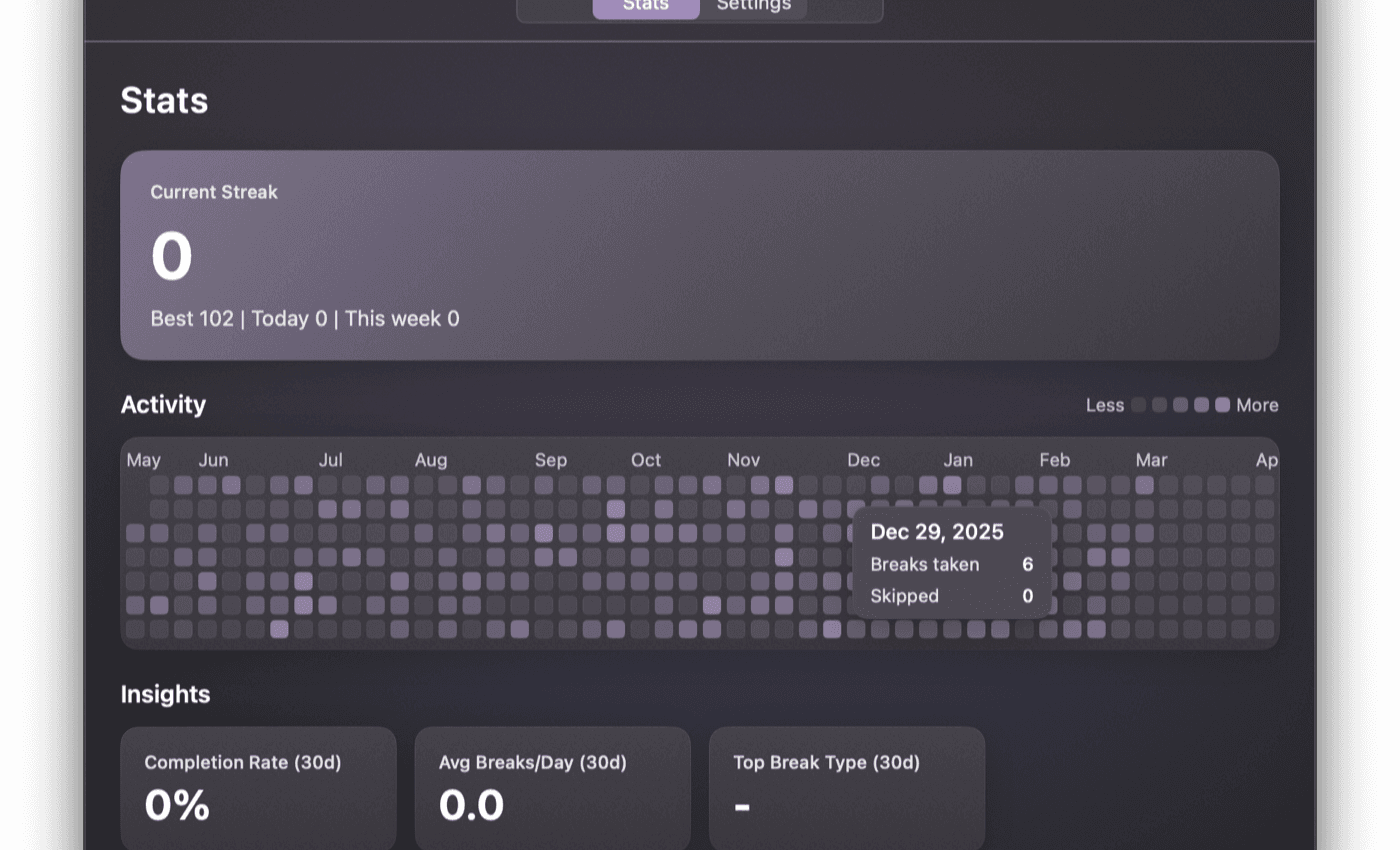
Streak Tracking
Build consistency with break streaks that reward follow-through.
Menu Bar App
Lives in your menu bar. Always accessible, never in your way.
Meeting & Focus Suppression
Breaks pause automatically during Zoom, Teams, or Slack calls, calendar meetings, video playback, or apps you whitelist.
Customizable Intervals
Tune work and break durations to fit your rhythm. Intervals from 5 minutes up to a few hours.
macOS Native
Built with Swift and SwiftUI. Fast, lightweight, and feels right at home.
Your data stays on your Mac
Respite needs a few permissions to work intelligently. Here is exactly what each one does -- and what it does not.
Microphone Access
Checks whether another app is using your microphone -- a meeting indicator. Respite never records, stores, or transmits any audio.
Calendar Access
Reads your schedule to pause breaks during meetings. No calendar data leaves your device.
Activity Monitoring
Tracks idle and active states locally to time breaks intelligently. No usage data collected.
No Cloud, No Accounts
Everything runs on-device. No sign-up required. Optional anonymous telemetry helps us improve -- toggle it off anytime in Settings.
Frequently asked
Everything you need to know about Respite.
Respite is a macOS menu bar app that reminds you to take regular breaks from your screen with gentle, full-screen overlays. Use it as a classic micro-break reminder by default, or switch to Pomodoro mode for 25/5 work cycles.
Respite offers a 14-day free trial so you can try every feature. After the trial, it's a one-time $36 payment with 1 year of updates included. Optionally renew at $24/year for continued updates -- your version works forever.
Yes. Respite integrates with Calendar.app to automatically suppress break reminders during meetings, so you are never interrupted at the wrong time.
Your break history, settings, calendar, and microphone activity all stay on your Mac. We collect anonymous, aggregate product analytics (event names like 'break completed', no content) to help us improve the app -- you can turn it off anytime in Settings. See our Privacy Policy for the full picture.
Respite supports macOS 14 Sonoma and later.
Fully. You can adjust break duration, intervals between breaks, and work session lengths to match your preferred workflow.